1. What Open Graph Tags Actually Are
Every time someone pastes a URL into Facebook, LinkedIn, Slack, WhatsApp or X, the platform quickly fetches the page, reads a few lines of metadata from its <head>, and builds a small preview card: an image, a headline, a short description and a domain name. Those lines of metadata are Open Graph tags. They were introduced as a way to let any web page become a rich object in a social graph, and the protocol is documented at ogp.me. Nearly every network that renders link previews now reads them, even ones that have nothing to do with the company that first created the format.
The tags look like ordinary meta elements with one difference: they use a property attribute instead of name. A minimal tag looks like <meta property="og:title" content="..." />, repeated for each field you want to control. If you leave them out entirely, platforms guess. Sometimes the guess is acceptable, because they fall back to your <title> and meta description. Often it is not: they grab the wrong image, a logo, a cookie banner, or nothing at all, and your link lands in a feed looking like a bare URL.
It is worth being clear about scope up front. Open Graph is a presentation layer for shared links. It does not tell search engines anything about your content, it does not replace structured data, and it is not a ranking factor. What it changes is the single moment where a person decides whether to click something a friend, colleague or follower posted. For content that spreads through social posts, group chats and newsletters, that moment is where a lot of your traffic is won or lost.
2. The Four Required Tags (and the Ones You Should Add)
According to the protocol specification, a page needs four properties to be a valid Open Graph object: og:title, og:type, og:image and og:url. The title is the name of the thing as it should appear in the preview. The type describes what kind of object it is, such as website or article; the spec notes that a page with no markup should be treated as a website. The image is the URL of the picture that represents the page. The URL is the canonical address, used as the object’s permanent ID.
That is the minimum, and it is not what you should stop at. The same specification lists several optional properties that make a real difference to how a card reads. og:description is a one-to-two sentence summary and is what most platforms show under the title. og:site_name names the larger site the page belongs to. og:locale defaults to en_US and matters on multilingual sites. og:image:alt describes the image for people using assistive technology, and og:image:width and og:image:height give pixel dimensions so a scraper can reserve space without downloading the file first.
For articles you can also add article:published_time, article:author and article:section. These are not displayed on every platform, but some networks read them, and they cost nothing to include. The Open Graph Tag Generator shows those extra fields only when you choose the article type, so a tool page or homepage does not end up carrying irrelevant publication metadata.
3. The Image: Where Most Previews Succeed or Fail
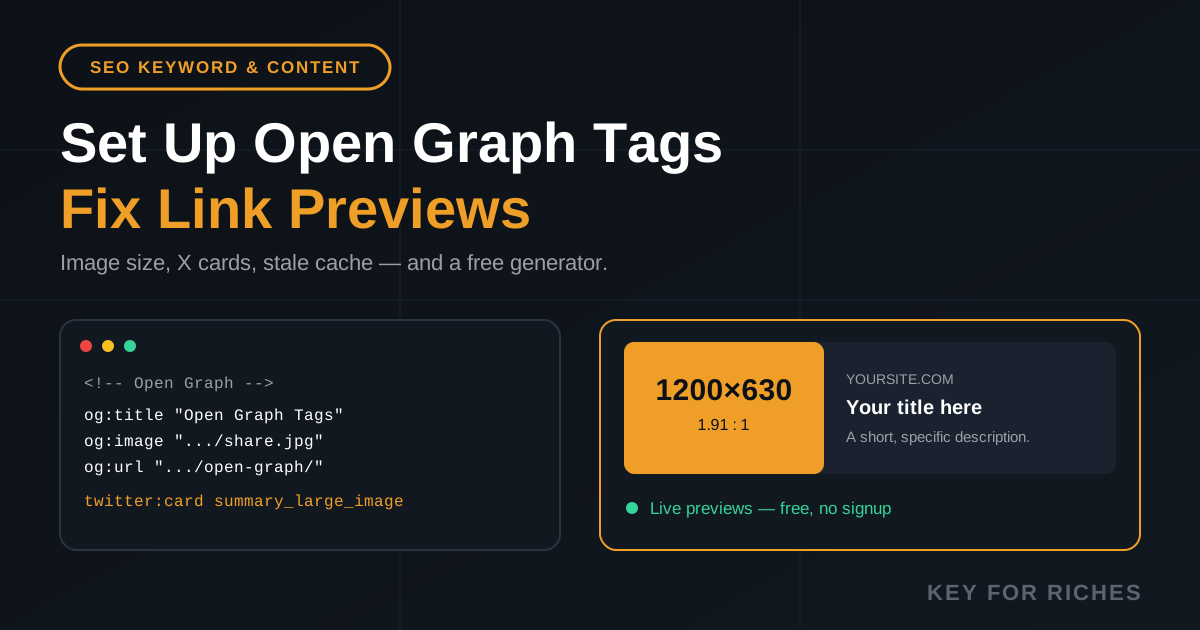
If the title is the headline, the image is the billboard. It takes up most of the card, and it is also the part that goes wrong most often. Meta’s documentation on images in link shares is the clearest source on sizing. It recommends 1200 × 630 pixels for the best display on high-resolution devices, describes 600 × 315 as the size at which link posts get the larger image treatment, and lists a minimum of 200 × 200 pixels and a maximum file size of 8 MB. Below 600 × 315 the image still appears, but as a noticeably smaller thumbnail beside the text.
The aspect ratio matters as much as the pixel count. The same guidance points to roughly 1.91:1, which is what 1200 × 630 works out to. A square or portrait image is not rejected, but networks that insist on a wide card will crop it, often cutting off the middle of a headline or the face you wanted visible. The safest approach is to design a dedicated share image at 1200 × 630 with the important content kept well inside the edges, rather than reusing a hero photo that happens to be nearby.
There are a few other ways images quietly fail. The URL has to be absolute, including https://, because scrapers do not resolve relative paths against your page the way a browser does. SVG files are not supported by the major networks, so a logo exported as SVG will give you a blank card. The image must be publicly reachable: if it sits behind a login, a hotlink-protection rule or a robots.txt disallow, the scraper cannot fetch it. And very large files can time out. The generator’s checklist tests for the absolute URL, the https scheme, a supported extension, and the dimensions you enter, so these problems show up before you publish rather than after a post has already gone out.
4. Writing the Title and Description for a Feed
The title and description you write for Open Graph do not have to match your search title and meta description, and often they should not. A search result is read by someone actively looking for an answer; a share card is read by someone scrolling past it. The search title can lead with the keyword. The share title can lead with the hook.
Length still matters. Cards truncate, and different networks cut at different points, so the safe habit is to keep the title to roughly 60 to 70 characters and the description to a sentence or two of about 100 to 200 characters, with the useful part first. If you have already worked through our guides on how to write title tags and how to write meta descriptions, you have most of the skill already. The only adjustment is tone: a share title can be a little more conversational, because it is competing with posts from people rather than with ten blue links.
Specificity wins on both. A description that says exactly what the reader will get, such as a checklist, a calculator or a comparison, outperforms one that describes the topic in general terms. And because the card is often the only thing a person sees before deciding, avoid ending on a cut-off thought. If the sentence has to be trimmed by the platform, make sure the part that survives still makes sense on its own.
5. Twitter (X) Cards and How They Relate to Open Graph
X has its own set of card tags that start with twitter:, and they have one quirk worth memorizing. Patrick Stox’s guide to Twitter card tags explains that twitter:card is required and has no Open Graph fallback, while the title, description and image will fall back to their og: counterparts if the twitter: versions are absent. In other words, if you already have complete Open Graph tags, the only X-specific tag you strictly need is the card type.
The card type decides the layout. summary_large_image puts a wide image above the title and is the better choice for articles, tools and anything where the picture carries meaning. summary shows a small square thumbnail beside the text, which suits profile-like pages or brand pages where the image is a logo. The other documented types, app and player, are for mobile app installs and embedded media, and most sites never need them.
There is a second quirk: twitter: tags use name, not property. Writing <meta property="twitter:card" ...> is one of the most common reasons a card silently fails, because some parsers are forgiving about it and others are not. The generator always outputs the correct attribute for each family. It also has an option to repeat the title, description and image as explicit twitter: tags, which is useful if you want X to display different text than other networks, or if you simply prefer to be explicit rather than rely on fallbacks.
A note on expectations: the platform’s own tooling around cards has changed repeatedly, and Stox points out that the old official validator no longer works. That makes it more important to test with real shares and treat any single preview tool, including ours, as an approximation rather than a guarantee of how every client renders the final card.
6. Why Your Preview Won’t Update
This is the complaint that sends most people looking for a tool like this one. You fix the image, republish, paste the link again, and the old card is still there. The cause is caching. When a platform first sees a URL, it scrapes it once and stores the result. Later shares reuse the stored copy.
Kinsta’s walkthrough of LinkedIn’s Post Inspector describes exactly this: LinkedIn caches the preview when a link is first shared and keeps serving that version until it is manually refreshed. The inspector lets you re-scrape the URL on demand. Other networks provide comparable debugging tools that do the same thing for their own caches. The practical workflow is to publish the corrected page first, confirm the new tags are in the live HTML, then run the live URL through each platform’s debugger.
Two details trip people up. First, scrapers read the raw HTML your server returns. If your tags are inserted by JavaScript after the page loads, many scrapers will never see them. The tags need to be present in the initial response. Second, if you change the image but keep the same image file name, a platform or CDN may keep a cached copy of the old file. Uploading the replacement under a new file name avoids that and is cheaper than debugging it.
7. Seven Mistakes That Break Link Previews
Most broken previews come from a short list of repeat offenders. Checking for these one at a time is quicker than staring at a blank card wondering what went wrong.
Relative image URLs. An og:image of /images/share.jpg works in a browser and fails in a scraper. Always use the full address. Using the wrong attribute. Open Graph tags use property; X card tags use name. One block for the whole site. Copying the same tags into a shared template gives every page the same title and image, so every link looks identical in a feed. Generate tags per page, or have your CMS fill them in from each page’s own fields.
A non-canonical og:url. The URL should be the canonical version of the page, without tracking parameters, so shares of different variants are treated as the same object. An image that is too small or the wrong shape. Stay with 1200 × 630 unless you have a reason not to. Blocking the scraper. A login wall, aggressive bot protection or a robots rule on the image path means the platform sees nothing. Missing alt text. It does not change the visual card on most networks, but it is the accessible thing to do and takes one line.
None of these is hard to fix once you know to look. The difficulty is that every one of them fails quietly: the page works, the tags are present, and the preview is simply wrong. A checklist that runs the same tests every time is a better safeguard than memory.
8. How to Generate Your Tags in Five Steps
The Open Graph Tag Generator runs entirely in your browser, so nothing you type is sent to our servers. The process takes a couple of minutes per page.
Step one: enter the canonical URL and choose the content type. Use website for tools and landing pages and article for blog posts. Step two: write the title and description, watching the live character counters. Step three: add the full URL of your 1200 × 630 share image, a short alt description, and the pixel dimensions. Step four: optionally add your X account handles and choose the card type. Step five: read the checklist, fix anything marked as an error, copy the generated block, and paste it into the head of that page.
While you work, the mockups beside the form show approximately how the card will look on Facebook-style networks and on X. They are approximations, because each platform adjusts crops and truncation over time, but they are good enough to catch an unreadable title, an image that is cropped badly, or a description that runs on past the visible area.
Build your tags with the Open Graph Tag Generator
Fill in one form and get copy-ready og: and Twitter card tags, live link-preview mockups and a checklist that flags broken images, long titles and bad URLs. Free, no signup.
9. Testing After You Publish
Generating correct tags is half the job; confirming that the live page serves them is the other half. Open the published page, view its source, and search for the Open Graph tags to be sure they are in the HTML your server actually returns. Then run the URL through the debugging tools the networks provide, which will show you what each scraper saw and let you clear stale cache entries.
It is also worth sending the link to yourself in a private chat or a draft post. Seeing the real card in the real interface catches problems that no preview mockup can: a font that renders oddly, an image that loads slowly enough to be skipped, or a description that reads awkwardly once truncated. For a page you expect to be shared heavily, such as a launch post or a major tool, do this on at least two networks before announcing it.
If you maintain many pages, build the check into your publishing routine instead of treating it as a one-off. Add the tags when you create the page, not after the first share has already been cached. And if your site uses templates, make sure the template pulls the title, description and image from each page rather than from a shared default. Structured data deserves the same discipline; our guide to adding schema markup covers the search-facing side of the same idea.
10. Does Open Graph Help SEO?
Not directly, and it is worth being honest about this, because some guides imply otherwise. Stox notes that Google’s own list of supported meta tags does not mention Open Graph or Twitter card tags, and that these tags are not a ranking factor. Their value is on the click-through side: a share card that looks credible and specific earns more clicks from social and messaging traffic than a bare link or a mangled preview.
There are still indirect benefits. More clicks from shared links mean more visits, more people reading, and more chances that someone links to the page from their own site. A page whose preview looks professional is also more likely to be reshared by the people who care about how their own posts look. None of that is guaranteed, but it is the realistic route from social metadata to search performance: through attention, not through a signal Google reads.
So treat Open Graph as part of publishing hygiene, alongside a good title tag, a meta description and valid structured data. It is a small amount of work done once per page, and it controls the first impression for every share of that page.
11. Quick Answers
Do I need both Open Graph and Twitter card tags? You need the Open Graph set plus the single twitter:card tag. X falls back to the og: values for the rest.
What size should the image be? 1200 × 630 pixels, about 1.91:1, in JPG, PNG or WebP. Keep it under 8 MB and keep important content away from the edges.
Can I use the same tags on every page? You can, but every link will then look the same. Each page should have its own title, description, URL and ideally its own image.
Why does LinkedIn show an old image? It cached the first scrape. Re-scrape the live URL with the Post Inspector after you publish the fix.
Where do the tags go? Inside the head element of each page, in the initial HTML response rather than inserted later by JavaScript.
Is the generator free? Yes, with no signup, and it runs in your browser.