1. What a Sitemap Actually Is (and Isn’t)
A sitemap is a file that lists the URLs on your site you want search engines to know about. It is the simplest possible way to say “these pages exist, and this is when they last changed.” Crawlers still discover most pages by following links, so a sitemap is a safety net and a signal, not a switch that makes pages appear in results.
That distinction matters when you debug. Submitting a perfect sitemap will not force indexing, and a flawed one will not hide your pages, but a sitemap that cannot be parsed at all removes a useful discovery channel, and one that lists the wrong URLs trains crawlers to waste time on pages you do not care about. Validation is about removing those avoidable problems before you submit the file.
If you want the wider picture of how sitemaps and robots.txt fit together, our explainer on robots.txt and sitemaps covers the basics. This guide goes deeper on one question: is the file you are about to submit actually correct?
2. The Rules the File Must Follow
The format is defined by the sitemaps.org protocol, which Google, Bing and other search engines support. The core requirements are short. The file needs a <urlset> root element that declares the protocol namespace, one <url> element per page, and a <loc> inside each one holding the full address. Everything else is optional.
The file must be UTF-8 encoded, and special characters in values must be escaped as entities. In practice the character that bites people is the ampersand, which must be written as &. A single bare one anywhere in the file makes it invalid XML.
There are hard size limits too. One sitemap file can contain up to 50,000 URLs and must be no larger than 50MB uncompressed. Past either limit you split the file into several and list them in a sitemap index. Google’s documentation on managing large sitemaps explains the index format and notes that an index can list up to 50,000 sitemaps.
Finally, all the URLs in a sitemap must use the same protocol and host as the sitemap file itself. A sitemap served from https://example.com cannot list http://example.com pages or https://www.example.com pages, because those are different sites as far as the protocol is concerned.
<?xml version="1.0" encoding="UTF-8"?>
<urlset xmlns="http://www.sitemaps.org/schemas/sitemap/0.9">
  <url>
    <loc>https://example.com/pricing</loc>
    <lastmod>2026-10-30</lastmod>
  </url>
</urlset>
3. The Eight Errors That Break Real Sitemaps
After you have looked at enough sitemaps, the same handful of faults accounts for nearly all the failures. These are the ones the XML Sitemap Validator is built to find.
1. Bare ampersands in URLs
Any URL with more than one query parameter, such as ?color=red&size=m, must be written as ?color=red&size=m inside the XML. Hand-written files and some export scripts forget, and the whole file fails to parse. The fix belongs in the generator, not in a one-off edit, or the error returns on the next regeneration.
2. Unclosed or mismatched tags
A file cut off mid-download, a manual edit that deleted a closing tag, or a plugin that crashed halfway through writing will all leave the XML unbalanced. The tell is usually that the file ends abruptly. Compare the tail of the file with a complete one and rerun the generator.
3. A missing or wrong namespace
The xmlns attribute on the root element is required. Sitemaps copied from a blog post, or templated by hand, often leave it out or mistype the address. Some parsers are forgiving and some are not, so do not rely on the lenient ones.
4. Relative URLs
The <loc> must be a fully qualified address. A path like /blog/post is not a valid entry. Google’s sitemap guidance recommends absolute URLs and says it crawls them exactly as listed, so a relative path gives it nothing to work with. These usually appear after a migration when the site’s base URL setting is wrong.
5. Mixed hosts and protocols
Staging domains, old http addresses and www variants creep into sitemaps through templates and database leftovers. Each one is a URL the sitemap is not allowed to contain. Decide which version of your host is canonical and make the generator use only that one.
6. Invalid dates
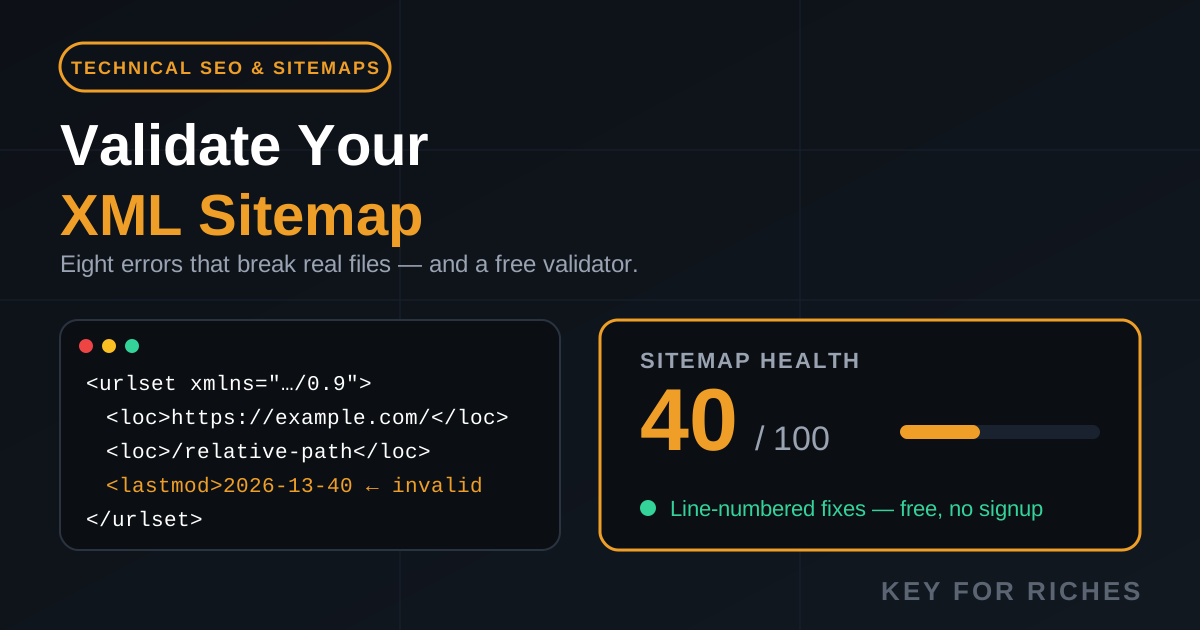
The <lastmod> value must be in W3C Datetime format. A plain date such as 2026-11-02 is fine. A full timestamp is fine when it includes a timezone, as in 2026-11-02T09:30:00+00:00. A timestamp with no timezone, a US-style date like 11/02/2026, or an impossible date such as February 30 is not valid. The timezone-less timestamp is the most common of these.
7. Duplicates, fragments and tracking parameters
The same page listed twice, a URL ending in #section, and links carrying utm_source or gclid parameters are all the same content under different addresses. They bloat the file and send crawlers to duplicates. List the clean canonical URL once.
8. Hitting the size limits
Large e-commerce and publishing sites hit the 50,000-URL ceiling without noticing, because a plugin keeps appending. When that happens, URLs past the limit are at risk of being ignored. Split by content type and use an index file.
Check your sitemap for all eight in seconds
Paste your sitemap into the XML Sitemap Validator to get a 0–100 score, line-numbered XML errors and a highlighted list of every problem URL. Free, no signup, and nothing leaves your browser.
4. The lastmod Problem: Why Accurate Dates Matter
Of all the optional tags, <lastmod> is the one worth getting right, because the search engines have been explicit that they use it only when it is trustworthy.
Google’s sitemap documentation says it uses the value if it is consistently and verifiably accurate, and that it should reflect significant updates, such as changes to the main content, structured data or links. Trivial edits like changing a copyright year do not count.
Bing has been even more direct. In a 2023 post on the importance of the lastmod tag, the Bing Webmaster team reported that many sitemaps set the date incorrectly, often using the same value everywhere, which suggests it was the time the sitemap was generated rather than the time each page changed. Bing says the date must be the last modified time of the linked page, not the generation time, and that it may disregard dates that consistently show the current date. Search Engine Land’s coverage reported that Bing planned to rely on lastmod much more heavily for crawl scheduling.
The practical lesson is that a sitemap in which every page carries today’s date is worse than one with no dates at all, because it teaches the crawler to distrust the field. The validator flags a file where nearly every date is identical for exactly this reason. If your CMS tracks real modification times, expose them. If it does not, leave the tag out.
5. Priority and changefreq: Valid but Pointless
Older tutorials still tell you to hand-tune <priority> and <changefreq>. The protocol allows both: priority runs from 0.0 to 1.0 and changefreq accepts a short list of words such as daily and monthly. But Google says it ignores both, and Bing says most values are set poorly, often identically across a whole sitemap, so it largely ignores them as well.
The validator still checks that the values are valid, because an out-of-range priority or a capitalised Weekly is a genuine format error that some parsers may reject. It reports their presence as a note only. You can delete both tags from your template without any downside and make the file smaller and simpler to maintain.
6. A Five-Step Validation Routine
Run this routine before you submit a new sitemap, after any migration, and after you change a sitemap plugin or CMS setting.
- Copy the live file. Open the sitemap in a browser, view the source and copy it. Check the live URL, not a local copy, so you test what crawlers actually receive.
- Paste it into the validator. Enter your canonical site address in the optional field so every URL is compared against it rather than against the first entry in the file.
- Fix XML errors first. Anything the report lists as an XML error blocks parsing, so nothing else matters until it is gone. Fix the first error, regenerate and re-run, because later errors are often side effects of the first.
- Fix URL errors next. Relative addresses, other hosts and bad protocols are errors; duplicates, fragments and tracking parameters are cleanup. Fix the generator setting that produced them.
- Review dates and size. Make sure lastmod values are real and the file is within the limits, splitting into an index if it is not.
When the report is clean, upload the file, confirm your robots.txt points to it with a Sitemap: line, and submit it in Google Search Console and Bing Webmaster Tools. If you need to write that robots.txt line, the Robots & Sitemap Generator will produce it.
7. What a Clean Sitemap Still Cannot Tell You
A validator that works on pasted text checks the file’s structure and internal consistency. It does not request the URLs, so there are things it cannot see, and it is worth knowing which.
It cannot tell you whether a listed URL returns a 404 or redirects somewhere else. Sitemaps should list final, canonical, indexable URLs, and a list full of redirecting addresses is a classic migration leftover. The Redirect Checker will show where a suspicious URL really ends up, and our guide to fixing redirect chains explains how to clean them up.
It cannot tell you whether a page carries a noindex directive or is blocked by robots.txt. Listing a page you have told crawlers not to index sends mixed signals, and Search Console will typically report it as submitted but excluded. For the access side of the problem, see the AI Crawler Access Checker, which reads your robots.txt, and our post on which AI crawlers to allow or block.
And it cannot tell you why a perfectly valid sitemap is not producing indexed pages. When URLs are discovered but not indexed, the cause is nearly always content quality, duplication or crawl budget, not the file format. A broader scan with the SEO Audit Tool is the right next step.
8. Sitemap Advice by Site Type
Small brochure or blog sites rarely hit any limit, so the typical problems are the mundane ones: a plugin that stamps every page with the same date, an old staging URL left in, or draft pages that should not be listed. A quick validation after each major change is enough.
E-commerce sites face the opposite problem, which is scale. Faceted navigation creates thousands of filter URLs, and a careless generator will list them all. Keep the sitemap to canonical product and category pages, split it by type so you can see in Search Console which section has the indexing problem, and remove discontinued products promptly so the file does not fill with pages that redirect or return errors.
Publishers and news sites care most about freshness. For them accurate lastmod values are the main reason to maintain a sitemap at all, and a dedicated, small file for recent content can help it be picked up quickly.
Migrated sites need validation more than any other. A migration changes domains, protocols, trailing-slash conventions and URL paths, and the sitemap is one of the last things anyone checks. Validate it before launch, again on launch day, and again two weeks later.
9. Quick Answers
How many URLs can one sitemap contain? Up to 50,000 URLs and 50MB uncompressed. Split larger sets into multiple files and list them in a sitemap index.
Do I need a sitemap at all? Small, well-linked sites can be crawled without one, but it costs almost nothing to provide, and it helps on new sites, large sites and sites with pages that are hard to reach through links.
Does a sitemap guarantee indexing? No. It is a discovery hint. Search engines decide what to index based on quality and other signals.
Should I include priority and changefreq? There is no benefit. Google ignores them and Bing largely does too. Valid values do no harm, but you can leave them out.
What date format does lastmod use? W3C Datetime. A plain date such as 2026-11-02 works, and a full timestamp must include a timezone.
Can a sitemap list URLs from another domain? Not under the protocol’s default rules, which require the same protocol and host as the sitemap file. Cross-site submission is a separate, explicitly configured feature.
Is a plain text sitemap acceptable? Yes. Google accepts XML, RSS and Atom feeds and plain text files with one URL per line. Text files carry no dates, so XML is more flexible.
How often should I re-validate? After any migration, CMS or plugin change, and whenever Search Console reports a sitemap error. For a stable site, a check every few months is plenty.