1. What Heading Tags Actually Are
HTML gives you six heading elements, <h1> through <h6>. They are not font sizes. They are labels that say “a new section starts here, and this is how important it is relative to the sections around it.” The H1 is the label for the whole page, H2s label its main sections, H3s label the parts inside an H2, and so on down the tree.
Read in order, the headings on a page form an outline, exactly like the table of contents in a book. A good outline lets someone understand what the page covers without reading a single paragraph. A bad one, with sections labelled by size rather than meaning, or with whole stretches of text under no heading at all, forces everyone to read linearly.
That outline is consumed by three audiences. People skim it. Assistive technology exposes it as a navigation aid. And search engines, including the systems behind AI answers, use headings as one clue to how a page is organised. Almost every confusing claim about headings and SEO comes from mixing up how much each of those three audiences cares.
2. What Google Has Actually Said
Google’s public statements on headings are consistent once you line them up, even though they get quoted selectively.
Multiple H1s are fine. In an #AskGoogleWebmasters episode, Google’s John Mueller said its systems don’t have trouble with pages that use more than one H1, calling it a fairly common pattern on the web. He added that Google still uses headings to understand the context of different sections of a page, and advised putting users ahead of SEO. Search Engine Land covered it in “Multiple H1s won’t get in the way of your SEO, Google says”.
A clean hierarchy is a good practice. In early 2023, an SEO said he prefers one H1 and headings used in order of rank. Mueller replied that this is a great idea and that hierarchy helps Google and matters for accessibility, as reported by Search Engine Journal. Earlier, he had also noted that a page can rank well with no H1 or with several.
Heading order matters little to Search itself. In July 2024, Google’s Gary Illyes answered a reader who had noticed that an SEO tool and Google’s own SEO Starter Guide disagreed. He confirmed the guide was current: heading order matters for screen readers but not much for Google Search. He also said the idea that the H1 is Google’s most important heading is incorrect, and that advice from non-Google tools “may still be a good idea, just not necessarily relevant to Google.” Search Engine Journal summarised the exchange in “Google clarifies H1–H6 headings for SEO”.
Notice what this does not say. It does not say headings are worthless. Mueller is explicit that headings help Google understand sections, and well-labelled sections are a precondition for the kinds of content that earn featured snippets and AI citations. It simply says there’s no hidden penalty for imperfect order. Treat any tool or article that promises a ranking jump from reshuffling H3s into H2s with healthy suspicion.
3. The Stronger Reason: Accessibility
If you want evidence that heading structure matters, look at how people use it. In WebAIM’s 2021 screen reader user survey, 67.7% of respondents said that on a lengthy page they would first navigate by headings when looking for information, far ahead of using the Find feature (13.9%) or reading through the page (8.1%). The same survey found that 52.8% rated heading levels such as Heading 1 and Heading 2 as very useful and another 32.9% as somewhat useful. The full results are on WebAIM’s survey page.
That behaviour is the entire reason the rules below exist. A screen reader can list every heading on a page and let the user jump to any one of them, or step through them by level. If your H2s are really styled paragraphs, or your outline jumps from H2 to H5, the list is misleading or incomplete and the user loses the page’s map.
The W3C’s Web Accessibility Initiative spells out the structural expectations in its headings tutorial. Headings are ranked from H1 to H6; a heading of equal or higher rank starts a new section and a lower rank starts a subsection. Skipping ranks, such as following an H2 directly with an H4, should be avoided where possible, though it is acceptable when closing subsections, such as an H2 that begins a new section after an H4. Headings should reflect the page’s organisation, not decoration.
Accessibility also has a practical angle beyond compliance. A page that is easy to navigate with assistive technology tends to be easy to scan for everybody else. You don’t need to believe in any direct ranking effect to see that fixing headings is cheap and worth doing.
4. The Six Rules of Clean Heading Structure
You can get a long way with six rules. None of them is exotic, and all of them are what the Heading Structure Analyzer checks.
Rule 1: Give every page one clear H1
The H1 names the page. It is the first heading a reader meets and the label a screen reader announces for the main content. Multiple H1s won’t sink you, as covered above, but one H1 keeps the outline unambiguous, and having none at all leaves the page with no top-level label. If your theme puts the site name in an H1 on every page, change that so the H1 holds the page’s own topic.
Rule 2: Use H2s for the main sections
Think of the H2s as the chapter titles. Someone who reads only your H2s should understand the shape of the page. If you can’t summarise the page from its H2s, the sections are either too vague or in the wrong order.
Rule 3: Step down one level at a time
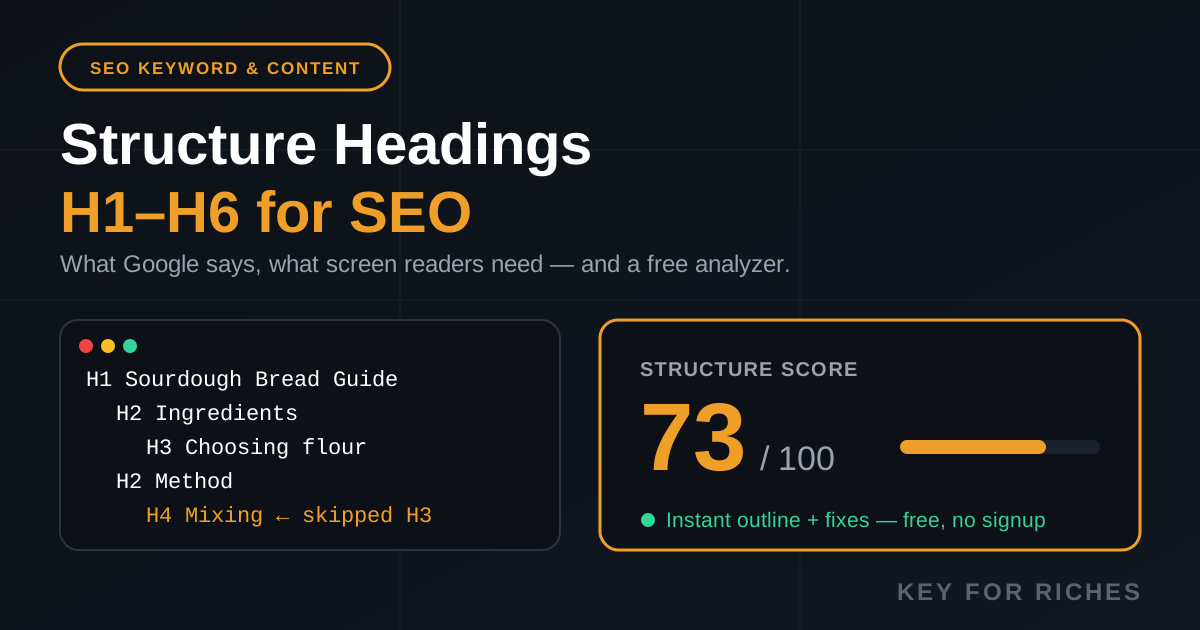
Go H2 to H3 to H4, never H2 to H4. You can jump back up as far as you like: an H2 after an H4 simply opens a new top-level section. Skipped levels are the most common structural defect on the web and nearly always come from choosing a tag for how big it looks.
<h1>Sourdough Bread Guide</h1>
  <h2>Ingredients</h2>
    <h3>Choosing flour</h3>      <!-- good: H2 -> H3 -->
  <h2>Method</h2>
    <h4>Mixing</h4>              <!-- skipped H3: fix this -->
Rule 4: Never leave a heading empty
An empty heading tag, or one holding only an image with no alt text, is announced as a blank entry in the heading list. This happens most often when page builders or editors leave behind a heading element after the text is deleted, or when a heading tag is used to create vertical space. Remove it, and use CSS for spacing.
Rule 5: Make sibling headings distinct
Several H2s all called “Overview” or “Details” turn the outline into noise. Each heading at the same level should tell the reader something specific about its section. The same text under different parents is fine, like a “Pricing” H3 inside two different product sections, because the parent heading supplies context.
Rule 6: Add a heading when the reader would want a break
A rough ceiling is around 300 words under one heading. It isn’t a law, but a long run of text with no landmark makes people lose their place. If a section is that long, there is almost always a natural point where the topic shifts, and a subheading there turns a wall of text into two scannable chunks.
Check your page against all six rules
Paste your HTML or Markdown into the Heading Structure Analyzer to get your full H1–H6 outline, a 0–100 score and a plain-English list of fixes. Free, no signup, and nothing leaves your browser.
5. H1 vs. Title Tag: Same Idea, Different Jobs
The title tag appears in the browser tab and as the blue link in search results. The H1 appears on the page itself. They should say the same thing in different words, not be identical copies and not be unrelated. The title tag is written to win a click from a results page, where length and a promise of value matter. The H1 is written for someone who has already arrived and needs to know they are in the right place.
A practical pattern: put the main topic in both, then let the title tag carry the extra hook, such as a year, a number or a qualifier, while the H1 stays clean. If you want help on the title side, our guide to writing title tags that rank and get clicks covers length and formula.
6. Common Mistakes (and How to Fix Them)
Choosing tags for appearance
The classic error: an H4 used because the designer wanted small bold text, or an H2 used for a pull quote. Fix it by changing the tag to the correct level and restyling with a CSS class. Appearance and structure are separate concerns and should be controlled separately.
Headings in the template that swamp the content
Themes often put headings on “Related posts,” “Search,” “Follow us” and cookie banners. Left alone, those can outnumber the headings in your actual article. W3C guidance suggests that structural headings for things like navigation, sidebars and footers sit a rank below the main content heading and stay consistent across pages. If your template headings are drowning the real outline, lower their rank rather than removing the labels altogether.
Using bold paragraphs as fake headings
A line of bold text that works as a section title to the eye is invisible to the heading list. Convert it to a real heading element at the right level. This is the single biggest quick win on long, hand-formatted posts.
Stuffing keywords into every heading
Using your target phrase in the H1 and a natural subheading or two is reasonable. Repeating it in nearly every heading reads as manipulation to people and gives search engines nothing new. If more than about half your headings contain the exact phrase, vary the wording and use related terms and questions.
Treating one-H1 as a crisis on old sites
If you inherit a large site where every template uses several H1s, resist the urge to rewrite thousands of pages. Mueller’s own advice was that rewriting them may not be worth the effort, while adding headings to important pages that have none might be. Prioritise by traffic and by how bad the structure is.
7. Writing Headings People Actually Scan
Structure is half of the job; wording is the other half. Good headings do four things.
They are specific. “How we measure” tells you little; “How we measure heading depth across 40 pages” tells you what you’ll learn. They are front-loaded. Put the distinguishing words first, because skimmers read the first few words and screen-reader users hear a list of beginnings. They match the way people ask. Phrasing a heading as the question your reader types, such as “Does heading order affect rankings?”, helps both scanning and the way answer engines pair questions with passages. They are short. Over about 70 characters, a heading starts to wrap and truncate in tables of contents. Keep detail in the paragraph beneath.
This pairs naturally with readability work. Short headings, short paragraphs and plain language reinforce each other, and our Content Readability Checker will point out the long sentences hiding under your best headings. If you are planning a new article, the Blog Outline Generator gives you a heading skeleton to start from, and our walkthrough on how to write content that ranks shows how to fill it.
8. Headings and AI Answer Engines
AI search features retrieve and quote passages, not whole pages. A passage is much easier to lift cleanly when it sits under a heading that states what it answers and when its first sentences stand on their own. That is reasoning from how retrieval works rather than a published rule, so treat it as a sensible habit, not a guarantee. Google has not published a heading-based ranking recipe for AI features, and nobody outside the search engines can prove how much weight headings carry in citation decisions.
What you can say with confidence is that the habits above cost nothing and do not conflict with anything Google has said. Descriptive H2s, answer-first opening sentences and sections of a sensible length make a page better for humans and easier for any extraction system to handle. For more on that side of the question, see our guide to getting cited by AI search and the GEO Score Checker, which scores a draft on the structural signals AI engines tend to reward.
9. How to Audit a Page in Five Minutes
You don’t need a crawler to find the worst problems on a page. Use this routine on your most important URLs first.
- Copy the page. View the source (Ctrl+U or Cmd+Option+U) and copy it. If your headings are generated by JavaScript, copy the rendered HTML from the browser inspector instead.
- Run it through the analyzer. Paste it into the Heading Structure Analyzer, add your target phrase, and click analyze.
- Fix errors first. Missing H1s and empty headings are quick, objective wins.
- Fix skipped levels. Change the tag, then restyle with CSS if the size looked wrong.
- Break up walls of text. Use the words-per-section figures on each outline row to find the long runs and add a subheading where the topic shifts.
- Read the outline aloud. If it makes sense as a table of contents for the page, you are done. If it doesn’t, rewrite the vague headings.
For a deeper tour of what each result means, see the full Heading Structure Analyzer guide. And for the wider technical picture, the SEO Audit Tool runs a 37-check scan across your page’s on-page, technical, performance and security signals.
10. Quick Answers
Is the H1 a ranking factor? Google has said the H1 isn’t treated as its most important heading and that heading order matters little to Search. Use a clear H1 for readers and accessibility rather than expecting a ranking boost.
Can I have more than one H1? Yes. Google has said it handles multiple H1s without trouble. A single H1 is still the simpler, cleaner choice for new pages.
Does skipping a heading level hurt SEO? There is no known direct penalty. It does hurt screen-reader navigation, which is why the W3C advises avoiding it, so fix it anyway.
How many headings should a page have? There is no target count. Add one wherever a reader would want a landmark, and avoid leaving more than a few hundred words under a single heading.
Should my H1 match my title tag? They should cover the same topic but need not be identical. Let the title tag carry the extra hook and keep the H1 clean.
Do headings in menus and footers count? They appear in the page’s heading list for assistive technology, so keep them to a lower rank and consistent across pages rather than competing with your main content outline.